appreviews.in

javad@kiebot.com

Key Differences Between Payroll Software and HRMS

Key Differences Between Payroll Software and HRMS Payroll Software vs. HRMS: Key Differences Explained In today’s fast-evolving business environment, the need for efficient human resource (HR) and payroll systems has become paramount. Many companies find themselves debating between adopting Payroll Software, a dedicated system designed specifically for managing payroll, and an HRMS (Human Resource Management System), which includes payroll as part of a broader suite of HR functionalities. While there is some overlap between these two solutions, they serve distinct purposes. Let’s explore the key differences, when to use one over the other, and the benefits and potential drawbacks of each. Understanding Payroll Software vs. HRMS Scope of Functionality 1. Payroll Software: Payroll software is designed exclusively for payroll processing, handling all activities related to employee wages, salaries, tax compliance, and deductions. It focuses on ensuring accurate financial calculations, tax filings, and employee pay distribution. Typically includes features such as paycheck processing, wage calculations, tax filing, benefit deductions, and payment disbursements. The software is often designed to comply with national and regional payroll regulations, adapting as tax laws change. 2. HRMS: HRMS covers a wide range of HR functions, encompassing employee lifecycle management, from recruitment and onboarding to performance evaluation and exit interviews. Payroll is often a module within HRMS, but the primary focus extends beyond payroll to include broader HR functionalities. Apart from payroll, HRMS typically includes features such as employee data management, recruitment, attendance tracking, performance management, training, and development tools, fostering a comprehensive approach to managing employees. Depth vs. Breadth 1. Payroll Software: Payroll software provides a deep focus on payroll processes, making it ideal for companies with complex payroll needs. It is highly specialized, often supporting intricate payroll structures, such as multi-region tax compliance, diverse pay structures, and automatic updates to tax codes. 2. HRMS: HRMS offers a broader scope of HR functionalities with payroll being one of its many features. While payroll within HRMS is typically adequate for straightforward payroll requirements, it may lack the extensive depth and customization options available in dedicated payroll software, especially for highly regulated industries. Specialization 1. Payroll Software: Known for its high level of specialization, payroll software is particularly valuable for its financial accuracy and compliance. It ensures that payroll processes adhere to tax regulations, that all calculations are correct, and that employees receive the right payments. Payroll software is often better suited for companies that prioritize precise wage management and need to adhere to strict financial reporting standards. 2. HRMS: An HRMS is specialized in managing the entire employee lifecycle, making it essential for businesses focused on employee engagement, performance, and career progression. HRMS solutions are often used by companies that prioritize comprehensive HR strategies over granular payroll specifics. Do You Need Both Payroll Software and HRMS? Determining whether you need both systems depends on various factors, such as the complexity of your payroll, company size, industry regulations, budget constraints, and integration needs. Complexity of Payroll Needs High Complexity: Companies that operate across multiple regions, encounter varying tax laws, or have different pay structures may benefit from standalone payroll software to manage these intricate requirements. Low Complexity: For businesses with straightforward payroll needs, the payroll module within an HRMS might suffice, streamlining HR and payroll within a single platform. Size of the Organization Large Enterprises: Larger companies often require both systems due to their vast workforce and intricate payroll and HR demands. Payroll software handles payroll complexities, while HRMS manages other HR functions, resulting in seamless operations. Small to Medium Businesses (SMBs): SMBs may find an HRMS with payroll capabilities adequate and cost-effective, as their needs may not warrant the depth of dedicated payroll software. Industry Regulations Highly Regulated Industries: Certain sectors, such as healthcare, finance, and government, face strict compliance requirements, often necessitating dedicated payroll software to ensure regulatory adherence. Standard Regulations: Businesses that only need to meet basic compliance standards might rely on an HRMS with integrated payroll capabilities, which covers essential compliance without excessive detail. Budget Constraints Larger Budgets: Companies with more financial flexibility may invest in both systems, benefiting from each platform’s specialized features and enhanced operational efficiency. Cost-Effective Solutions: For organizations with limited budgets, an integrated HRMS can be an economical choice, covering payroll and HR needs without the expense of multiple systems. Integration Capabilities Need for Advanced Integration: If a business requires advanced integration with accounting or finance systems, standalone payroll software may be necessary to ensure smooth financial operations. Basic Integration: If the payroll features within an HRMS meet your basic needs, a single HRMS solution can be effective, reducing the need for extensive integration efforts. Benefits of Using Both Systems 1. Enhanced Specialization: Combining payroll software with HRMS allows you to leverage the advanced features of payroll software while still enjoying the broad functionalities of an HRMS. 2. Improved Compliance: Both systems together ensure full compliance with HR and payroll regulations, making it easier to adhere to industry standards and reduce audit risks. 3. Scalability: As your business grows, having both systems can handle increased operational complexity, making it easier to manage payroll and HR processes without overwhelming one platform. Potential Drawbacks Increased Costs: Maintaining two systems can be expensive. This includes not only the initial investment but also ongoing maintenance and support costs. Complex Implementation: Implementing and integrating two separate systems may require more IT resources, time, and expertise, which could disrupt business operations temporarily. Data Duplication Risks: Without proper integration, data inconsistencies may arise, leading to discrepancies between HR and payroll records. Conclusion When deciding between payroll software and an HRMS, it’s essential to assess your specific needs and consider the complexity of your payroll, your budget, and the long-term scalability of your solution. Companies with complex payroll requirements or those in highly regulated industries may benefit from a dedicated payroll solution alongside an HRMS. In contrast, small to medium-sized businesses with simpler payroll needs might find a single HRMS solution sufficient. Most Recent Posts All Post CRM E-Commerce HRMS LMS POS Key Differences Between Payroll Software

Key Differences Between Payroll Software and HRMS Read More »

Common Challenges in HR Management and How HRMS Solves Them

Common Challenges in HR Management and How HRMS Solves Them Common Challenges in HR Management and How HRMS Solves Them Human Resource Management (HRM) is a vital function in any organization, dealing with a wide range of activities from recruitment to employee development. However, HR managers often face several challenges that can hinder their efficiency, from compliance issues to managing employee performance. Implementing a Human Resource Management System (HRMS) can address many of these challenges by streamlining processes and automating repetitive tasks. This blog will explore the common challenges HR teams encounter and how HRMS provides effective solutions to overcome them. 1. Reducing Administrative Work One of the primary challenges HR managers face is the overwhelming amount of administrative tasks that can eat up valuable time. These tasks often include processing payroll, managing attendance, and handling leave requests. Managing these manually can lead to errors, delays, and inefficiencies. How HRMS Helps: HRMS automates these routine tasks, allowing HR teams to focus on more strategic areas like employee engagement, talent management, and organizational development. Payroll processing, attendance tracking, and leave management can be automated with real-time updates and notifications, saving time and reducing the administrative burden. 2. Improving Data Accuracy Handling large volumes of employee data, such as personal information, salary details, performance metrics, and more, is another challenge for HR departments. Manually updating records can lead to errors and inconsistencies, which can have significant consequences, particularly in payroll, performance reviews, and legal compliance. How HRMS Helps: By centralizing all employee data in one platform and automating data entry and updates, HRMS significantly improves data accuracy. This reduces the chances of errors, minimizes redundancy, and ensures that all data is up-to-date and easily accessible for decision-making. In addition, advanced HRMS solutions come with analytics tools that help HR teams analyze data trends and make informed decisions. 3. Managing Employee Performance Performance management is a critical yet challenging aspect of HR. Tracking employee goals, giving timely feedback, and conducting evaluations are time-consuming processes. Moreover, inconsistent tracking methods can lead to subjective or unfair evaluations, demotivating employees. How HRMS Helps: HRMS platforms provide comprehensive tools for performance management. These tools enable HR teams to set clear performance goals, track employee progress in real time, and conduct regular performance reviews. In addition, automated performance tracking reduces biases and provides objective data for reviews. Features like self-assessment, peer reviews, and continuous feedback cycles help employees stay engaged and aligned with organizational objectives. 4. Ensuring Legal Compliance Staying up to date with ever-changing labor laws and regulations is a significant challenge for HR managers. Non-compliance can lead to hefty penalties, legal issues, and reputational damage. Managing compliance manually is both time-consuming and prone to human error. How HRMS Helps: An HRMS is equipped with compliance management features that automatically update HR teams on changes to labor laws and industry regulations. HRMS ensures that company policies and processes adhere to current laws, helping businesses avoid costly penalties. Additionally, automated compliance checks and reporting help HR departments stay audit-ready. 5. Enhancing Employee Engagement and Retention Employee engagement is crucial for retention, productivity, and overall job satisfaction. However, keeping employees engaged and satisfied with their roles can be difficult, particularly in larger organizations where individual attention is harder to provide. How HRMS Helps: HRMS offers tools like employee surveys, feedback systems, and recognition modules that help HR departments gauge employee satisfaction and address concerns in a timely manner. Employee self-service portals, where employees can access their performance reviews, update their information, and apply for leaves or other benefits, also contribute to a more engaged workforce. A positive and transparent environment fosters better employee engagement and retention. 6. Managing Remote Work and Flexibility The rise of remote work has brought new challenges to HR management. Managing a distributed workforce, ensuring productivity, and maintaining communication and collaboration have become key concerns for HR managers in the modern workplace. How HRMS Helps:  HRMS platforms facilitate remote workforce management by providing tools for time tracking, attendance monitoring, and project management. With cloud-based HRMS systems, employees can access HR functions from anywhere, ensuring seamless communication and collaboration. Performance management tools also allow HR to monitor the productivity of remote employees and ensure that remote work policies are followed. 7. Streamlining Recruitment and Onboarding Recruitment is a major challenge, especially when it comes to sourcing, screening, and hiring top talent. Additionally, ensuring a smooth onboarding process is essential for employee retention, but many companies struggle to provide an organized and welcoming experience for new hires. How HRMS Helps: HRMS systems often come with integrated applicant tracking systems (ATS) that simplify the recruitment process by automating job postings, resume screening, and interview scheduling. Once a candidate is hired, the onboarding process is streamlined with digital forms, e-signatures, and training modules, ensuring new employees can start their roles without delays or confusion. 8. Generating HR Reports and Analytics Creating accurate and insightful HR reports is a time-consuming task, especially for larger organizations. HR teams need to provide management with up-to-date reports on various metrics, such as employee turnover, recruitment progress, and compliance status. How HRMS Helps: HRMS generates automated reports on key HR metrics, including attendance, employee performance, recruitment, and more. It also offers analytics tools that allow HR managers to forecast trends, identify potential issues, and optimize HR strategies based on data-driven insights. This not only saves time but also improves decision-making processes. Conclusion The dynamic and complex nature of HR management presents a wide range of challenges that can strain resources and affect overall organizational efficiency. Implementing an HRMS allows businesses to streamline HR operations, reduce administrative burdens, and enhance the overall employee experience. Whether it’s automating payroll, improving data accuracy, managing employee performance, or ensuring compliance, HRMS provides the tools HR managers need to tackle these challenges effectively, allowing them to focus on strategic initiatives that drive business growth. In today’s digital age, an HRMS is no longer just a luxury but it’s also a necessity for organizations looking to optimize their human

Common Challenges in HR Management and How HRMS Solves Them Read More »

How to Choose the Right HRMS for Your Business

How to Choose the Right HRMS for Your Business

Human Resource Management System How to Choose the Right HRMS for Your Business : Selecting the right HRMS can transform how your business handles HR tasks. It’s not just about ticking boxes, it’s about finding a system that makes your HR processes smoother, faster, and more effective. Here’s how to make the right choice: 1. Understand Your Business Needs First things first: what does your business actually need? Small businesses might only need basic features like payroll and attendance. If that’s you, go for a simpler, cost-effective solution. Bigger organizations, however, will need more. Think performance management, talent acquisition, and powerful analytics. Choose a system that scales with your growth plans, not just your current needs. 2. Ease of Use is Non-Negotiable A great HRMS is one everyone can use, not just your HR team. Look for a system with a clean interface and minimal learning curve. Employees should be able to easily access their pay slips, request time off, and check performance reviews without needing help. Simple is better. 3. Make Sure It Plays Well with Others Your HRMS needs to integrate seamlessly with other tools you already use, whether that’s payroll, accounting, or project management software. The more your systems can “talk” to each other, the less manual work you’ll need to do. Check for API support if you’re using third-party software or planning custom integrations. 4. Be Clear on Costs Pricing varies widely, so don’t just look at the initial price tag. Is it a one-time payment, or are there monthly subscription fees? What about hidden costs like setup, training, or support? Do your homework and understand the total cost over time, not just upfront. 5. Cloud or On-Premise? There are pros and cons to both. Cloud-based systems are great if you have remote teams or want easy access from anywhere. Plus, updates happen automatically. On-premise systems give you more control, but they come with higher costs and require IT maintenance. Which fits your needs better? 6. Prioritize Data Security and Compliance Your HRMS will hold sensitive employee information, so security is critical. Look for robust encryption and make sure the system complies with regulations like GDPR. Features like audit trails and user permissions will help protect your data. 7. Go Mobile In today’s work environment, mobile access isn’t a luxury, it’s a necessity. Choose an HRMS that offers mobile apps, so employees can request time off or check pay slips on the go. A responsive design will ensure everything looks sharp on phones and tablets. 8. Customization is Key Your business is unique, and your HRMS should reflect that. Whether it’s customizing workflows or generating reports specific to your KPIs, flexibility is essential. A system that adapts to your needs, rather than the other way around, will serve you better in the long run. 9. Check the Vendor’s Support No matter how good a system is, you’ll need help at some point. Make sure the vendor offers strong customer support. Do they provide training resources? Can you reach them via chat, phone, or email? Quick and reliable support can make or break your experience. 10. Think Long-Term Don’t just focus on what your business needs right now, think ahead. Your HRMS should grow with you. Can it handle more employees or multiple locations as your business expands? Systems with modular features are perfect here, letting you add more as needed. Conclusion Choosing the right HRMS can make a real difference to your business. It’s about balancing ease of use, functionality, and cost, all while keeping future growth in mind. Do it right, and you’ll have a system that boosts efficiency and supports your HR goals for years to come. Most Recent Posts All Post CRM E-Commerce HRMS LMS POS How to Choose the Right HRMS for Your Business Human Resource Management System Top 5 HRMS Software in India: Best Solutions for 2024 Category CRM E-Commerce LMS POS

How to Choose the Right HRMS for Your Business Read More »

What is HRMS and its key features

Human Resource Management System

Human Resource Management System What is Human Resource Management (HRMS) System? A Human Resource Management System (HRMS) is a comprehensive software solution that consolidates essential HR functions into one user-friendly platform. It integrates processes such as payroll, recruitment, performance reviews, and time tracking, making it easier for organizations to manage their workforce efficiently. Imagine not having to juggle multiple systems for different HR tasks. With an HRMS, everything is integrated, making workforce management smoother and more efficient. Each module is crafted to handle specific activities, from keeping track of employee data to simplifying the recruitment process. Plus, with advanced reporting and analytics, HRMS helps organizations make smart, data-driven decisions. Whether you opt for a cloud-based solution or an on-premise setup, HRMS provides the flexibility that businesses of any size need. How Does an HRMS Work? So, how does an HRMS actually function? Think of it as a team of tools working together, each with its own specialty. For example, when an employee checks in for work, that information is instantly synced with payroll, ensuring their salary is calculated accurately without any extra effort. This level of automation takes the hassle out of manual data entry, reducing errors and saving time for HR professionals. Many HRMS systems are cloud-based, so you can access them from anywhere. Ideal for managing remote teams or hybrid work environments. What is Human Resource Management? Human Resource Management (HRM) is all about managing an organization’s most important asset: its people. It’s a strategic approach that includes everything from hiring and training to performance management and compensation. At its core, HRM ensures that employees are not just satisfied but engaged and productive. A happy employee is often a productive one, after all! Effective HRM helps create a positive workplace culture while ensuring compliance with labor laws. It’s about building a fair and inclusive environment where everyone has the opportunity to succeed. HR Software vs. HRIS vs. HRMS: Are They All the Same? You might hear terms like HR Software, HRIS (Human Resource Information System), and HRMS thrown around, and it’s easy to think they’re all the same. But they each have their own purpose. HR Software generally focuses on specific tasks, like payroll processing or time tracking. In contrast, HRIS is more about managing employee data, keeping comprehensive databases that include personal details and job history. While HRIS is great for data storage, it doesn’t prioritize automation. HRMS, however, is the all-in-one solution. It encompasses everything an HRIS does and adds advanced features like payroll management, benefits administration, and performance tracking. The real difference? HRMS offers a complete approach to managing human resources, making it the go-to choice for organizations looking to streamline their HR processes. Core features of HRMS 1.Employee Data Management Centralized Database:  Stores all employee information (personal details, employment history, performance reviews, etc.) in one place. Self-Service Portals: Employees can update their own details. Less work for HR.  2.Recruitment and Tracking Job Posting Management:  Allows HR to post job vacancies across multiple platforms (websites, job boards, social media) in one go. Applicant Tracking System (ATS): Tracks applicants throughout the hiring process, from initial application to hiring decisions. Interview Scheduling: Automates interview scheduling and candidate communications, streamlining the recruitment process. 3. Onboarding Digital Documentation: New hires can submit forms online before their first day. Fast and efficient. Orientation and Training Modules: Give them access to policies and training materials so they’re set up for success before they even walk in. 4. Payroll and Compensation Automated Payroll Processing  Calculates salaries, tax deductions, bonuses, and other compensation elements automatically. Compliance Management:  Ensures payroll is compliant with local labor laws, tax regulations, and industry standards. Benefits Administration: Manages employee benefits such as health insurance, retirement plans, and other perks. 5. Attendance and Time Tracking Time Clocks: Allows employees to clock in/out via desktop, mobile, or biometric systems. Leave Management:  Tracks vacation, sick, and personal leave requests with approval workflows. Overtime Calculations: Automates overtime management, ensuring employees are compensated accurately. 6. Performance Management Goal Setting: Facilitates setting performance goals aligned with organizational objectives. Appraisal Management: Automates performance reviews and tracks progress against set KPIs. 360-Degree Feedback:  Provides multi-source feedback from peers, supervisors, and subordinates. 7. Learning and Development Training Programs: Allows HR to create, assign, and track employee training and development programs. Learning Management System (LMS) Integration: Supports course creation, certification tracking, and skill development initiatives. 8. Analytics and Reporting HR Dashboards: Provides real-time insights into employee performance, turnover rates, absenteeism, and other key metrics. Custom Reports:  Generates tailored reports on workforce demographics, payroll expenses, and recruitment performance. Most Recent Posts All Post CRM E-Commerce HRMS LMS POS Key Differences Between Payroll Software and HRMS Common Challenges in HR Management and How HRMS Solves Them How to Choose the Right HRMS for Your Business Category CRM E-Commerce LMS POS

Human Resource Management System Read More »

Top 5 HRMS Software in India: Best Solutions for 2024

Top 5 HRMS Software in India: Best Solutions for 2024 Top 5 HRMS Software in India: Best Solutions for 2024 Managing human resources efficiently is critical for businesses of all sizes. Whether it’s tracking attendance, processing payroll, or boosting employee engagement, the right HRMS (Human Resource Management System) can streamline your operations and make life easier for everyone involved. In this blog, we’ll explore the top 5 HRMS software in India, including Zoho People, Zimyo, IHITS, and Keka HR. These platforms offer a range of solutions tailored to meet the needs of startups and mid-sized companies. From robust payroll management to comprehensive performance tracking, each system brings unique strengths to the table. Let’s take a closer look at their key features, benefits, and pricing to help you make the right choice for your business. Why You Need an HRMS Choosing to invest in an HRMS isn’t just about efficiency; it’s a smart decision that can boost employee engagement, keep you compliant, and support your organization’s growth. Whether you’re overseeing a small team or a large workforce, an HRMS helps you save precious time, cut down on mistakes, and provides insights that inform better choices. Embracing modern HR management can truly transform your organization for the better. Top 5 HRMS Software in India: Zoho People Zimyo HRMS IHITS HRMS Keka HR 1. Zoho People Zoho People offers a cloud-based platform designed to simplify your HR processes. From managing attendance to performance tracking, it helps you stay on top of every HR task while integrating with other Zoho tools. Employee Self-Service: Empower your team to manage their tasks, leaves, and profiles via a centralized portal. Attendance & Leave Management: Easily track attendance and manage customized leave policies in one place. Payroll Integration: Automate payroll and link it with accounting software for seamless salary processing. Performance Management: Set goals, conduct reviews, and manage appraisals effectively. Onboarding and Offboarding: Streamline hiring and exit processes with digital workflows Mobile Access: Stay connected on the go with Zoho’s mobile app for HR services. Pricing: Starts at ₹60/user/month for the basic plan, with professional, premium, and enterprise plans scaling up. 2. Zimyo HRMS Zimyo simplifies your HR work with an all-in-one platform that’s perfect for startups and mid-sized companies. It’s affordable and feature-packed, helping businesses stay efficient while keeping employees happy. Payroll Automation: Simplify salary calculations, tax compliance, and payments. Employee Engagement: Use surveys and feedback tools to measure satisfaction and engagement. Leave & Attendance Tracking: Manage leave requests, track attendance, and integrate with attendance systems. Performance Reviews: Track OKRs, set goals, and review performance analytics with ease. Recruitment & Onboarding: Streamline hiring from job posting to onboarding. Compliance Management: Ensure compliance with labor laws through automated filings and reports. Pricing: Starts at ₹89/user/month, with custom pricing based on business size and features needed. 3. IHITS HRMS IHITS HRMS brings a full suite of HR tools to manage payroll, attendance, and HR analytics. It’s designed for companies looking for industry-specific customization and hands-on customer support. Attendance Management: Track attendance via RFID, biometrics, or manual punch-in. Leave Management: Customize leave policies and approval workflows, with real-time tracking. Payroll Integration: Automate salary payments, tax calculations, and accounting integration. Employee Records: Manage all employee profiles and documents from a central database. Recruitment Automation: Automate hiring from job posting to offer generation. Compliance & Reporting: Stay compliant with local laws and generate customized reports effortlessly. Pricing: Custom pricing based on your business needs. 4. Keka HR Keka HR focuses on making payroll, attendance, and employee engagement easy. It’s built with Indian businesses in mind, making it perfect for local tax and compliance needs. Payroll & Compliance: Automate salary calculations, tax deductions, and compliance with Indian laws. Employee Engagement: Use self-service portals, feedback, and surveys to keep employees engaged. Time & Attendance: Biometric integration tracks attendance, leaves, and working hours. Performance Management: Continuous feedback and 360-degree performance reviews ensure growth. Recruitment Management: Manage job postings, applicant tracking, and offer letters all in one place. Mobile App: HR tasks are just a tap away with a mobile app for managers and employees alike. Pricing: Starts at ₹9999/month for up to 100 employees, with scalable options as your team grows. Most Recent Posts All Post CRM E-Commerce HRMS LMS POS Top 5 HRMS Software in India: Best Solutions for 2024 4 Best POS Systems for small Business POS system security and compliance Category CRM E-Commerce LMS POS

Top 5 HRMS Software in India: Best Solutions for 2024 Read More »

best POS systems for small business

4 Best POS Systems for small Business

4 Best POS Systems for Small Business 4 Best POS Systems for Small Business: Running a small business requires tools that make daily operations smoother, and a reliable POS system is one of the most crucial. It handles payments, tracks inventory, and gives you insights to better manage your sales. But with so many options available, how do you find the one that’s right for your business? In this article, we’ll take a closer look at four of the best POS systems for small businesses. Each offers unique strengths to fit different needs whether you’re focused on ease of use, features, or pricing. Let’s explore what they bring to the table. 4 Best POS Systems for small Business: Square POS Shopify POS Clover POS Lightspeed POS 1. Square POS Square is the go-to for small businesses seeking a simple, no-fuss solution. It’s free to start, mobile-friendly, and handles everything from payments to inventory with ease. Whether you’re on the go or at the counter, Square’s flexibility keeps your business moving. Why Choose Square POS? Ease of Use: Extremely user-friendly with a quick setup process. Minimal training required, ideal for small businesses with limited tech expertise. Cost-Effective: Free software for basic POS functionality, perfect for tight budgets. No monthly fees or long-term contracts for the free plan. Mobile-Friendly: Highly portable, perfect for businesses on the go or needing mobile payment processing. Works seamlessly across both iOS and Android devices. Scalability: Great for small businesses with growth potential. Start with the free plan and add paid features like payroll, customer loyalty, or advanced reporting as your business expands. All-In-One Solution: Handles payment processing, inventory management, CRM, and online sales. Includes extras like payroll, marketing, and appointments, so you can manage multiple operations in one place. No Hidden Fees: Transparent pricing with no setup fees or hidden costs. Pricing: Transaction fees: 2.6% + 10¢ for in-person sales, 2.9% + 30¢ for online transactions. Paid plans for advanced features, like Square for Retail or Square for Restaurants, start at $60/month per location. Hardware costs range from $49 for card readers to $799 for a full register. 2. Shopify POS Perfect for small businesses that sell online and in-store, Shopify POS creates a seamless connection between both. Manage your entire operation from one platform, with powerful tools to track inventory, customer data, and sales—no matter where they happen. Why Choose Shopify ? Works Great with Online Stores: Seamlessly integrates with your existing Shopify store, automatically syncing everything in real time. Very Flexible: Sell online, in-store, or on the go at pop-up shops and markets—all using the same system. Easy to Use: User-friendly and easy to set up, even for those with minimal technical knowledge. Scalable: Perfect for businesses of any size. Start with one store and expand effortlessly as your business grows. All-In-One Solution: Manages payments, tracks inventory, and handles customer and staff management, so you don’t need multiple systems. Pricing: Basic: ₹1,994 INR/month (for solo entrepreneurs) Shopify: ₹7,447 INR/month (for small teams) Advanced: ₹30,164 INR/month (for scaling businesses) 3. Clover POS Clover offers a customizable experience with a wide range of hardware and apps. It’s ideal for businesses that want to tailor their system to unique needs. Easy to set up and packed with features, Clover adapts as your business grows. Why Choose Clover ? Works for Different Types of Businesses: Ideal for restaurants, retail stores, and service businesses. Clover adapts to various needs. Customizable: Add apps for extra features like loyalty programs or accounting integrations. Good Hardware Choices: Flexible hardware options, from basic card readers to complete POS systems, fitting businesses of all sizes. All-in-One System: Manages payments, inventory, customer rewards, and employee management in one place. Mobile-Friendly: Accept payments on the go or at events with Clover’s mobile capabilities. Pricing: Monthly Subscription: $9.95 to $39.95, based on features. Transaction Fees: 2.6% + 10¢ for in-person, 3.5% + 10¢ for online/manual transactions. Hardware Costs: $49 for a mobile reader, up to $1,649 for a full POS station. 4. Lightspeed POS Lightspeed is built for small retail stores and restaurants that need more than basic sales tools. Its advanced inventory management and detailed analytics make it perfect for businesses looking to optimize performance and keep growth on track. Why Choose Lighspeed ? Great for Inventory Management: Ideal for businesses with complex inventories, like retail stores or restaurants with numerous ingredients. Excellent for Multi-Location Businesses: Perfect for syncing stock and customer profiles across multiple locations. Customizable for Different Industries: Tailored features for retail, restaurants, and niche markets like golf. Strong E-Commerce Integration: Seamlessly syncs online and offline stores, simplifying management. Comprehensive Reporting: Provides detailed insights into sales trends, customer behavior, and staff performance. Pricing: Monthly Subscription: Starting at $69/month (restaurants) and $89/month (retail), with advanced plans up to $289/month. Transaction Fees: Typically 2.6% + 10¢ for in-person payments, 2.9% + 30¢ for online payments with Lightspeed Payments. Hardware Costs: $100 to $500 per device, depending on your setup. Most Recent Posts All Post CRM E-Commerce HRMS LMS POS Top 5 HRMS Software in India: Best Solutions for 2024 4 Best POS Systems for small Business POS system security and compliance Category CRM E-Commerce LMS POS

4 Best POS Systems for small Business Read More »

POS system security and compliance

POS system security and compliance

POS system security and compliance POS System Security and Compliance: Protect Your Business and Customer Data In today’s digital landscape, your POS system is more than just a cash register—it’s the gateway to your business’s most sensitive data. With cyberattacks on the rise, protecting this critical system is not only a matter of security, but also a matter of trust. Consumers expect their personal information to be safeguarded, and failing to meet those expectations can result in devastating consequences for both your business and your reputation. From data breaches to insider threats, POS systems are under constant threat. And it’s not just about the technology compliance with regulatory standards like PCI-DSS and GDPR is non-negotiable for businesses of all sizes. So, how can you protect your POS system while ensuring compliance? In this guide, we’ll dive into the most common security threats facing POS systems, outline key security measures, and explain the compliance standards every business must follow. Let’s explore how to protect your business, your customers, and their data in a fast-evolving retail environment. 1. Understanding POS Security and Compliance POS (Point of Sale) systems are critical for handling transactions and customer data, making them prime targets for cyberattacks. The security and compliance of these systems are essential to safeguard sensitive information, maintain customer trust, and avoid costly breaches or fines. Businesses must stay vigilant against evolving threats while ensuring compliance with regulations like PCI-DSS and GDPR, which mandate secure handling of payment and personal data. 2. Common Security Threats in POS Systems Data Breaches: Attackers exploit vulnerabilities in POS software or hardware to steal sensitive customer data like credit card information. These breaches can lead to financial losses and reputational damage. Malware and Ransomware: Cybercriminals use POS-specific malware to steal card information during transactions, often selling it on the dark web. Ransomware attacks can also lock businesses out of their systems until a ransom is paid. Skimming Devices: Physical skimming devices attached to POS terminals capture customer card data without the business or customer realizing it, leading to fraudulent activities. Insider Threats: Employees with access to the POS system may misuse sensitive information or unintentionally introduce vulnerabilities through careless practices or phishing scams. 3. Key Security Measures for POS Systems End-to-End Encryption (E2EE): Encrypts transaction data from the moment it’s entered into the POS system until it reaches the payment processor, making it useless if intercepted by attackers. Tokenization: Sensitive data, like credit card numbers, is replaced with tokens that have no value outside the system, ensuring that stolen data cannot be used for fraudulent purposes. EMV Chip Technology: EMV cards generate unique transaction codes that make it difficult for criminals to use cloned cards, offering more security than magnetic stripe cards. Secure Wi-Fi Networks: Connect POS systems to secure, isolated Wi-Fi networks. This reduces the risk of unauthorized access from public or unprotected networks. Two-Factor Authentication (2FA): Adding an extra layer of protection, 2FA ensures that only authorized personnel can access the POS system by requiring a second form of identification, such as a mobile code. Regular Software Updates: Regular updates to the POS software help patch vulnerabilities, preventing cybercriminals from exploiting outdated systems. Employee Training: Educating employees on security best practices is key. Training them to recognize phishing attacks, safeguard devices, and follow secure transaction protocols can prevent insider risks and accidental breaches. 5. Compliance Standards for POS Systems Compliance isn’t just about avoiding penalties, it’s about ensuring data security and customer trust. The most relevant compliance regulations include: PCI-DSS (Payment Card Industry Data Security Standard): Requires businesses to secure credit card data by installing firewalls, encrypting transmissions, maintaining updated antivirus software, and restricting access to cardholder data. GDPR (General Data Protection Regulation): Applies to businesses handling the data of EU residents, requiring them to obtain consent for data collection, provide transparency in how data is used, and offer the right for customers to have their data deleted. CCPA (California Consumer Privacy Act): Grants California residents the right to know what data is collected, request its deletion, and opt out of the sale of their personal data. EMV Liability Shift: Mandates that businesses using non-EMV-compliant systems are liable for any fraudulent transactions, incentivizing the use of EMV chip technology to mitigate fraud risks. 6. The Role of POS Providers in Ensuring Security and Compliance POS system providers play a crucial role in offering secure solutions. Look for providers that offer: Built-in Security Features: Providers should offer tokenization, encryption, and compliance monitoring tools as part of their service, ensuring baseline security measures are in place. Third-Party Audits: Reputable POS providers undergo regular third-party audits to ensure their systems are up to date with the latest security standards and compliance requirements. 7. Best Practices for Maintaining POS System Security and Compliance Maintaining security and compliance is an ongoing effort. Businesses should: Regular Security Audits: Conduct periodic security audits to identify and resolve vulnerabilities in POS systems. These audits should assess both software and employee practices. Implement Network Segmentation: Separate POS systems from other business networks, especially those with public access, to reduce the risk of cross-network cyberattacks. Monitor Transaction Activity: Use real-time analytics and reporting features in your POS system to detect any unusual transaction patterns that may indicate fraud or data breaches. Backup Critical Data: Regularly back up transaction and customer data to a secure, encrypted environment. In the event of a breach, having reliable backups ensures business continuity. Incident Response Plan: Develop a detailed response plan for security breaches, including how to notify affected customers and regulatory authorities. Quick action can help mitigate damage and legal consequences. 8. The Future of POS Security: Trends to Watch As technology evolves, so do the tools available to enhance POS system security. Emerging trends include: Biometric Authentication: Biometrics like fingerprint scanning and facial recognition are becoming integrated into POS systems to offer an extra layer of security and prevent unauthorized access. AI and Machine Learning: Artificial intelligence and machine learning algorithms can detect fraudulent activities in real-time by

POS system security and compliance Read More »

What Is a Learning Management System? | Features, Types & Benefits

What is a Learning Management System (LMS) ? | Features, Types & Benefits

What is a Learning Management System (LMS) ? What is a Learning Management System (LMS)? : Features, Types & Benefits What is a Learning Management System (LMS)? A Learning Management System (LMS) acts as the heartbeat of modern education and training. Imagine it as a dynamic, all-in-one space where educators and learners converge. Instructors can effortlessly share resources, deliver engaging lectures, manage coursework, and gain real-time insights into student progress. For learners, it offers a seamless experience to dive into educational content, actively participate in discussions, submit their work, and keep a clear view of their learning journey. This integrated approach transforms how we teach and learn, bringing everything together in one cohesive platform. How do Learning Management Systems Impact Learning and Training? Opening Doors to Learning: With an LMS, learners break free from the constraints of time and place, accessing courses and materials whenever and wherever they need, making education truly within reach for everyone. Boosting Engagement: Through interactive features like quizzes, multimedia content, discussion forums, and gamified experiences, learners are not just passive participants—they’re actively involved, leading to a more engaging and immersive learning journey. Simplifying the Back-End: By automating routine tasks like enrollment, scheduling, and tracking, an LMS frees educators from administrative burdens, allowing them to focus their energy on what matters most—teaching and inspiring students. Crafting Personalized Learning Journeys: LMS platforms can adapt to each learner’s unique pace and style, creating customized learning paths and providing feedback that’s tailored to individual progress, making learning a more personalized experience. Harnessing the Power of Data: With sophisticated analytics and reporting tools, an LMS provides a clear view of learner progress and program effectiveness, empowering educators and organizations to make informed decisions and drive continuous improvement. Ensuring Compliance with Ease: For industries bound by strict regulations—like healthcare, finance, and manufacturing—an LMS helps maintain compliance by ensuring that training programs are up-to-date and meet all necessary standards. This combination of accessibility, engagement, personalization, and data-driven insights revolutionizes how education and training are delivered, making an LMS an indispensable tool in today’s learning environment. As you explore options for implementing an LMS in your organization, it’s essential to choose the right platform that meets your specific needs. For a detailed analysis of the top options available this year, check out our comprehensive guide: LMS Software Comparison 2024. This guide will help you navigate the latest features, pricing, and unique offerings of the leading LMS platforms to find the best fit for your learning and development goals. What Features to Look for in a Learning Management System (LMS)? Seamless User Administration: Opt for an LMS that makes managing user enrollment and roles intuitive, allowing you to set permissions effortlessly and keep track of all participants smoothly. Innovative Course Management: Look for a system that offers flexible course creation, straightforward organization, and versatile scheduling options, so you can structure learning in a way that adapts to your needs Flexible Content Delivery: Ensure the LMS supports a range of content formats, including multimedia, interactive modules, and traditional documents, to engage learners in various ways. Smart Assessment Tools: Seek out features that allow for custom quizzes, assignments, and detailed grading systems, helping you evaluate and support learners effectively Powerful Analytics and Reporting:  Choose an LMS with advanced analytics capabilities to gain actionable insights into learner performance, course effectiveness, and overall engagement. Optimized for Mobile Learning:  The system should be fully responsive, providing a seamless experience on smartphones and tablets so learners can access content from anywhere. Notifications and Alerts: Automated reminders and notifications should be easily configurable to keep learners informed about deadlines and updates, Engagement through interactive rewards: Incorporate elements like badges, leaderboards, and reward systems to create a motivating learning environment and encourage active participation. Certification and Achievement Tracking: The ability to issue and manage certificates upon course completion adds value and recognizes the achievements of your learners. Integration Capabilities: Ensure the LMS can smoothly integrate with other essential tools and platforms your organization uses, such as CRM systems or HR software. Security Features: Prioritize systems with strong security protocols to protect sensitive data and maintain compliance with relevant regulations. Customizable Branding: The LMS should offer customizable options to align with your organization’s branding, ensuring a cohesive and professional look and feel. Multilingual Accessibility: If your audience is global, make sure the LMS supports multiple languages to accommodate diverse learners. By focusing on these distinctive features, you can select an LMS that not only meets but exceeds your organization’s specific requirements, offering a customized solution that improves the educational experience for all users. Most Recent Posts All Post CRM E-Commerce LMS POS What is a Learning Management System (LMS) ? | Features, Types & Benefits Top 5 POS System for Restaurants LMS Software Comparison 2024 : Features, Pros and Cons Category CRM E-Commerce LMS POS

What is a Learning Management System (LMS) ? | Features, Types & Benefits Read More »

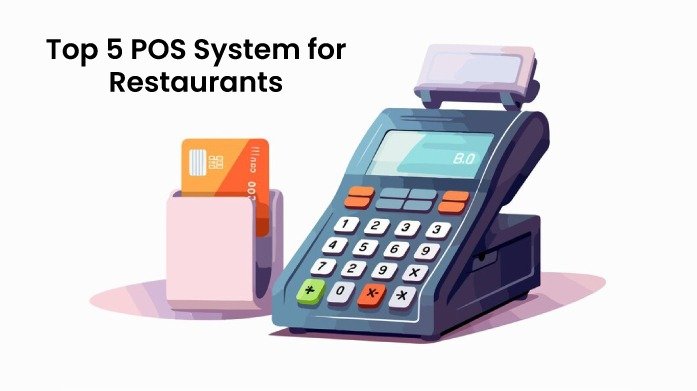
Top 5 POS Systems for Restaurants

Top 5 POS System for Restaurants

Top 5 POS System for Restaurants Top 5 POS System for Restaurants: What is Restaurant POS Software? A Restaurant POS software, therefore, refers to a computerized tool employed in dining facilities to facilitate sale of products, tracking of stocks, employees’ roster and customers’ relations. Many different types of POS available now are significantly differ from the old-fashioned cash registers and provide a lot of connections according to the needs of restaurants, cafes, bars, and different kinds of food services. Why Use a POS System for Restaurants? A POS system is essential for restaurants because it streamlines operations, from taking orders to managing inventory and processing payments. It helps improve accuracy, reduces wait times, and provides valuable insights through detailed reports. By automating tasks and centralizing data, a POS system allows restaurant owners to focus on delivering great customer service while efficiently managing the business. POS System for Restaurants It is therefore important that you select the right POS system for your restaurant so that it runs efficiently. Here are five top POS systems tailored to meet the specific needs of the restaurant industry: 1. Toast POS Toast has a set of features fit for restaurants with functionalities such as online ordering and kitchen display. Key Features Online ordering Digital kitchen display screen Inventory management, Comprehensive reports. Pros: Simple to navigate and user-friendly It is also compatible with many other applications. Cons: It can therefore be expensive to set up than some forms of marketing,especially in the initial stages. Pricing: Pay-as-you-go plan starts at $0/month. Essentials package starts at $69/month (includes order & pay features). Growth package is priced at $165/month. Enterprise package offers custom pricing based on specific business needs. 2. Square POS Square also offers an adaptive POS system used by both small and big restaurants. Key Features Table management Flexibility of menu functions, reporting, and payments. Pros: Easy on the pocket Easy to set up Good integration. Cons: They also don’t have some of the more advanced tools found in managing bigger operations. Pricing: Free Plan: $0/month (basic features). Plus Plan: $29/month per location (advanced features). Premium Plan: Custom pricing based on business needs 3. Lightspeed POS Lightspeed is a cloud-based POS software and solutions for restaurants to help run their business and meet customers’ needs. Key Features Managing multiple locations Detailed analysis, inventory, and employee management. Pros Flexibility of the tool High backing Numerous options of use. Cons One disadvantage is that setup can be complex or difficult for a new user Pricing: Basic plan: $89/month (billed annually). Standard plan: $149/month. Advanced plan: $269/month. 4. TouchBistro TouchBistro targets at increasing productivity in the functioning of restaurants. Key Features Grouping orders Menu changes Employee roster Sales records. Pros User-friendly Tailored to restaurants’ needs Solid customer service. Cons Less integration possibilities as compared to other systems. Pricing: Single license plan starts at $69/month. Advanced features for multi-location or franchise operations cost up to $299/month. 5. eHopper POS eHopper is an all-in-one POS solution designed for small businesses, including restaurants, offering an affordable and flexible platform with essential features for smooth operations. It supports both full-service and quick-service restaurants. Key Features Order management Payment processing Customer management Inventory tracking Employee management The system also includes multi-language support Works across multiple devices, including tablets and mobile. Pros Affordable pricing Easy to use, and cloud-based Offers a free version with basic features, making it accessible for small restaurants Also supports multiple payment methods Integrates with third-party apps. Cons Limited advanced features compared to more premium POS systems. The free version comes with fewer capabilities, and customization options are somewhat restricted. Pricing: Essential Plan: Free, includes basic POS features. Freedom Plan: $29.99/month. OmniChannel Plan: Custom pricing for eCommerce integration and advanced functionalities. These Top 5 POS systems for restaurants have different benefits which should be carefully analyzed in order to understand what your restaurant will require and what you are ready to pay for. Most Recent Posts All Post CRM E-Commerce LMS POS 4 Best POS Systems for small Business POS system security and compliance What is a Learning Management System (LMS) ? | Features, Types & Benefits Category CRM E-Commerce LMS POS

Top 5 POS System for Restaurants Read More »

LMS Software Comparison 2024 : Features, Pros and Cons

LMS Software Comparison 2024 : Features, Pros and Cons

LMS Software Comparison 2024 LMS Software Comparison: Finding the Perfect Learning Management System Choosing the right Learning Management System (LMS) can be challenging with so many options available. This blog simplifies your decision-making process by comparing various LMS software, highlighting their key features and differences. Whether for online education, corporate training, or blended learning, this guide will help you find the best LMS to meet your needs. What is a Learning Management System (LMS) ? A Learning Management System (LMS) is a software platform that helps manage, deliver, and track educational courses and training programs. It simplifies content distribution, progress assessment, and supports various learning environments, enhancing the overall educational experience 1. TalentLMS TalentLMS is a cloud-based learning management system that simplifies creating and delivering online training programs. With its user-friendly interface and customizable features, it supports efficient course management, assessment, and reporting. Ideal for businesses of all sizes, TalentLMS facilitates training for employees, partners, and customers, adapting to the evolving needs of your organization. Features Intuitive Interface:: Talent LMS offers a user-friendly interface that is easy to navigate, making it accessible for both administrators and learners. Gamification: It includes robust gamification features such as badges, points, and leaderboards to enhance learner engagement and motivation. Customization: Organizations can customize the platform extensively to match their branding and adjust workflows and permissions according to their specific needs. Mobile Optimization: The platform is optimized for mobile devices, allowing learners to access courses conveniently from smartphones or tablets. Built-in Authoring Tools: Talent LMS provides built-in tools for creating and managing courses, eliminating the need for separate authoring software and streamlining course development. Pros Easy to set up and use Strong customization options Good value for money Cons Limited advanced features Can be less suitable for large organizations Limited offline access 2. Absorb LMS Absorb LMS is a cloud-based learning management system that delivers engaging and effective training programs. With an intuitive interface and robust features for course creation, management, and reporting, it’s ideal for businesses, educational institutions, and government organizations. Its scalability and customization options make it adaptable to diverse training needs. Features Advanced Analytics and Reporting: Absorb LMS provides detailed analytics and reporting tools that offer deep insights into learner progress and course effectiveness, aiding informed decision-making. Automation for Efficiency: Streamlines administrative tasks like enrollment and notifications to save time and improve workflow. Supports External Users: Allows customization and secure access for external partners or customers needing training. Social Learning Tools: Integrates forums and chat for collaborative learning and knowledge sharing among learners. Compliance and Certification Management: Tracks training compliance and certification deadlines effectively to meet regulatory requirements. Pros User-friendly interface Strong e-commerce capabilities Scalable and flexible Cons Can be expensive for smaller organizations Limited offline access Requires technical expertise for advanced customization 3. Open LMS OpenLMS is a cloud-based learning management system designed to streamline course delivery and training programs. It offers flexible, user-friendly tools for course creation, management, and tracking, making it ideal for educational institutions and organizations.  Features Customizability: Open LMS tools are highly customizable, allowing institutions to tailor the platform to specific educational needs. Community-driven: They benefit from a collaborative community of developers and users, driving rapid innovation and adaptation. Cost-effective: Lower initial costs and ongoing expenses compared to proprietary LMS options make them more budget-friendly. Interoperability: Open LMS prioritize compatibility with other educational technologies, ensuring seamless integration with existing systems. Transparency and control: Users have clear visibility and control over software functionality and data handling processes, enhancing user autonomy. Pros Extensive integration options Flexible and customizable Strong focus on scalability Cons Can be complex to set up and manage Requires technical expertise Limited offline access 4. Blackboard Learn Blackboard Learn is a versatile learning management system designed to improve teaching and learning. It offers powerful tools for creating, managing, and assessing courses, supporting both online and blended learning environments, making it perfect for educational institutions. Features Inline Grading: Teachers can grade assignments directly in the browser, adding comments and feedback without downloading files. Collaborate Integration: Built-in support for live virtual classrooms and web conferencing with Blackboard Collaborate. Detailed Analytics: Provides comprehensive reports and visual data on student performance and engagement. Mobile Apps: Offers dedicated mobile apps for both instructors and students to manage courses and learn on the go. Content Management: Efficiently allows for easy reuse and sharing of course materials across different classes and terms. Pros Comprehensive feature set Strong support services Extensive customization and integration options Cons Can be expensive Complex user interface Limited offline 5. Canvas LMS Canvas LMS is a cloud-based learning management system known for its user-friendly interface and robust features. It supports course creation, collaboration, assessment, and communication, making it ideal for educational institutions and businesses alike. Features Quick Grading & Feedback: Allows teachers to quickly grade assignments and provide feedback within the platform. Rich Content Editor: Enables easy creation and formatting of course content, including embedding videos and other multimedia. LTI Integration: Supports integration with a wide range of third-party tools and apps for added functionality. Easy Course Import: Facilitates the import of course content from other LMS platforms or previous courses, simplifying the setup process. Active Community: Benefits from a strong user community that shares resources, tips, and best practices. Pros User-friendly interface Strong integration capabilities Extensive feature set Robust mobile support Cons Can be expensive for smaller organizations Some advanced features require additional cost Limited offline access 6. Moodle LMS Moodle LMS is a versatile, open-source platform for creating and managing online courses. It supports educators in delivering content, assessing student progress, and fostering collaboration through various learning environments. Features Open-Source Flexibility: Completely open-source, allowing users to modify and extend the platform freely without licensing costs. Large Plugin Library:Extensive library of plugins developed by the Moodle community, enabling a high degree of customization. Customizable Roles:Detailed settings for creating custom user roles and permissions to fit specific institutional needs. Multi-Language Support: Built-in support for over 100 languages, making it accessible to a global user base. Strong Community Support: An

LMS Software Comparison 2024 : Features, Pros and Cons Read More »

Scroll to Top