appreviews.in

POS

best POS systems for small business

4 Best POS Systems for small Business

4 Best POS Systems for Small Business 4 Best POS Systems for Small Business: Running a small business requires tools that make daily operations smoother, and a reliable POS system is one of the most crucial. It handles payments, tracks inventory, and gives you insights to better manage your sales. But with so many options available, how do you find the one that’s right for your business? In this article, we’ll take a closer look at four of the best POS systems for small businesses. Each offers unique strengths to fit different needs whether you’re focused on ease of use, features, or pricing. Let’s explore what they bring to the table. 4 Best POS Systems for small Business: Square POS Shopify POS Clover POS Lightspeed POS 1. Square POS Square is the go-to for small businesses seeking a simple, no-fuss solution. It’s free to start, mobile-friendly, and handles everything from payments to inventory with ease. Whether you’re on the go or at the counter, Square’s flexibility keeps your business moving. Why Choose Square POS? Ease of Use: Extremely user-friendly with a quick setup process. Minimal training required, ideal for small businesses with limited tech expertise. Cost-Effective: Free software for basic POS functionality, perfect for tight budgets. No monthly fees or long-term contracts for the free plan. Mobile-Friendly: Highly portable, perfect for businesses on the go or needing mobile payment processing. Works seamlessly across both iOS and Android devices. Scalability: Great for small businesses with growth potential. Start with the free plan and add paid features like payroll, customer loyalty, or advanced reporting as your business expands. All-In-One Solution: Handles payment processing, inventory management, CRM, and online sales. Includes extras like payroll, marketing, and appointments, so you can manage multiple operations in one place. No Hidden Fees: Transparent pricing with no setup fees or hidden costs. Pricing: Transaction fees: 2.6% + 10¢ for in-person sales, 2.9% + 30¢ for online transactions. Paid plans for advanced features, like Square for Retail or Square for Restaurants, start at $60/month per location. Hardware costs range from $49 for card readers to $799 for a full register. 2. Shopify POS Perfect for small businesses that sell online and in-store, Shopify POS creates a seamless connection between both. Manage your entire operation from one platform, with powerful tools to track inventory, customer data, and sales—no matter where they happen. Why Choose Shopify ? Works Great with Online Stores: Seamlessly integrates with your existing Shopify store, automatically syncing everything in real time. Very Flexible: Sell online, in-store, or on the go at pop-up shops and markets—all using the same system. Easy to Use: User-friendly and easy to set up, even for those with minimal technical knowledge. Scalable: Perfect for businesses of any size. Start with one store and expand effortlessly as your business grows. All-In-One Solution: Manages payments, tracks inventory, and handles customer and staff management, so you don’t need multiple systems. Pricing: Basic: ₹1,994 INR/month (for solo entrepreneurs) Shopify: ₹7,447 INR/month (for small teams) Advanced: ₹30,164 INR/month (for scaling businesses) 3. Clover POS Clover offers a customizable experience with a wide range of hardware and apps. It’s ideal for businesses that want to tailor their system to unique needs. Easy to set up and packed with features, Clover adapts as your business grows. Why Choose Clover ? Works for Different Types of Businesses: Ideal for restaurants, retail stores, and service businesses. Clover adapts to various needs. Customizable: Add apps for extra features like loyalty programs or accounting integrations. Good Hardware Choices: Flexible hardware options, from basic card readers to complete POS systems, fitting businesses of all sizes. All-in-One System: Manages payments, inventory, customer rewards, and employee management in one place. Mobile-Friendly: Accept payments on the go or at events with Clover’s mobile capabilities. Pricing: Monthly Subscription: $9.95 to $39.95, based on features. Transaction Fees: 2.6% + 10¢ for in-person, 3.5% + 10¢ for online/manual transactions. Hardware Costs: $49 for a mobile reader, up to $1,649 for a full POS station. 4. Lightspeed POS Lightspeed is built for small retail stores and restaurants that need more than basic sales tools. Its advanced inventory management and detailed analytics make it perfect for businesses looking to optimize performance and keep growth on track. Why Choose Lighspeed ? Great for Inventory Management: Ideal for businesses with complex inventories, like retail stores or restaurants with numerous ingredients. Excellent for Multi-Location Businesses: Perfect for syncing stock and customer profiles across multiple locations. Customizable for Different Industries: Tailored features for retail, restaurants, and niche markets like golf. Strong E-Commerce Integration: Seamlessly syncs online and offline stores, simplifying management. Comprehensive Reporting: Provides detailed insights into sales trends, customer behavior, and staff performance. Pricing: Monthly Subscription: Starting at $69/month (restaurants) and $89/month (retail), with advanced plans up to $289/month. Transaction Fees: Typically 2.6% + 10¢ for in-person payments, 2.9% + 30¢ for online payments with Lightspeed Payments. Hardware Costs: $100 to $500 per device, depending on your setup. Most Recent Posts All Post CRM E-Commerce HRMS LMS POS Top 5 HRMS Software in India: Best Solutions for 2024 4 Best POS Systems for small Business POS system security and compliance Category CRM E-Commerce LMS POS

4 Best POS Systems for small Business Read More »

POS system security and compliance

POS system security and compliance

POS system security and compliance POS System Security and Compliance: Protect Your Business and Customer Data In today’s digital landscape, your POS system is more than just a cash register—it’s the gateway to your business’s most sensitive data. With cyberattacks on the rise, protecting this critical system is not only a matter of security, but also a matter of trust. Consumers expect their personal information to be safeguarded, and failing to meet those expectations can result in devastating consequences for both your business and your reputation. From data breaches to insider threats, POS systems are under constant threat. And it’s not just about the technology compliance with regulatory standards like PCI-DSS and GDPR is non-negotiable for businesses of all sizes. So, how can you protect your POS system while ensuring compliance? In this guide, we’ll dive into the most common security threats facing POS systems, outline key security measures, and explain the compliance standards every business must follow. Let’s explore how to protect your business, your customers, and their data in a fast-evolving retail environment. 1. Understanding POS Security and Compliance POS (Point of Sale) systems are critical for handling transactions and customer data, making them prime targets for cyberattacks. The security and compliance of these systems are essential to safeguard sensitive information, maintain customer trust, and avoid costly breaches or fines. Businesses must stay vigilant against evolving threats while ensuring compliance with regulations like PCI-DSS and GDPR, which mandate secure handling of payment and personal data. 2. Common Security Threats in POS Systems Data Breaches: Attackers exploit vulnerabilities in POS software or hardware to steal sensitive customer data like credit card information. These breaches can lead to financial losses and reputational damage. Malware and Ransomware: Cybercriminals use POS-specific malware to steal card information during transactions, often selling it on the dark web. Ransomware attacks can also lock businesses out of their systems until a ransom is paid. Skimming Devices: Physical skimming devices attached to POS terminals capture customer card data without the business or customer realizing it, leading to fraudulent activities. Insider Threats: Employees with access to the POS system may misuse sensitive information or unintentionally introduce vulnerabilities through careless practices or phishing scams. 3. Key Security Measures for POS Systems End-to-End Encryption (E2EE): Encrypts transaction data from the moment it’s entered into the POS system until it reaches the payment processor, making it useless if intercepted by attackers. Tokenization: Sensitive data, like credit card numbers, is replaced with tokens that have no value outside the system, ensuring that stolen data cannot be used for fraudulent purposes. EMV Chip Technology: EMV cards generate unique transaction codes that make it difficult for criminals to use cloned cards, offering more security than magnetic stripe cards. Secure Wi-Fi Networks: Connect POS systems to secure, isolated Wi-Fi networks. This reduces the risk of unauthorized access from public or unprotected networks. Two-Factor Authentication (2FA): Adding an extra layer of protection, 2FA ensures that only authorized personnel can access the POS system by requiring a second form of identification, such as a mobile code. Regular Software Updates: Regular updates to the POS software help patch vulnerabilities, preventing cybercriminals from exploiting outdated systems. Employee Training: Educating employees on security best practices is key. Training them to recognize phishing attacks, safeguard devices, and follow secure transaction protocols can prevent insider risks and accidental breaches. 5. Compliance Standards for POS Systems Compliance isn’t just about avoiding penalties, it’s about ensuring data security and customer trust. The most relevant compliance regulations include: PCI-DSS (Payment Card Industry Data Security Standard): Requires businesses to secure credit card data by installing firewalls, encrypting transmissions, maintaining updated antivirus software, and restricting access to cardholder data. GDPR (General Data Protection Regulation): Applies to businesses handling the data of EU residents, requiring them to obtain consent for data collection, provide transparency in how data is used, and offer the right for customers to have their data deleted. CCPA (California Consumer Privacy Act): Grants California residents the right to know what data is collected, request its deletion, and opt out of the sale of their personal data. EMV Liability Shift: Mandates that businesses using non-EMV-compliant systems are liable for any fraudulent transactions, incentivizing the use of EMV chip technology to mitigate fraud risks. 6. The Role of POS Providers in Ensuring Security and Compliance POS system providers play a crucial role in offering secure solutions. Look for providers that offer: Built-in Security Features: Providers should offer tokenization, encryption, and compliance monitoring tools as part of their service, ensuring baseline security measures are in place. Third-Party Audits: Reputable POS providers undergo regular third-party audits to ensure their systems are up to date with the latest security standards and compliance requirements. 7. Best Practices for Maintaining POS System Security and Compliance Maintaining security and compliance is an ongoing effort. Businesses should: Regular Security Audits: Conduct periodic security audits to identify and resolve vulnerabilities in POS systems. These audits should assess both software and employee practices. Implement Network Segmentation: Separate POS systems from other business networks, especially those with public access, to reduce the risk of cross-network cyberattacks. Monitor Transaction Activity: Use real-time analytics and reporting features in your POS system to detect any unusual transaction patterns that may indicate fraud or data breaches. Backup Critical Data: Regularly back up transaction and customer data to a secure, encrypted environment. In the event of a breach, having reliable backups ensures business continuity. Incident Response Plan: Develop a detailed response plan for security breaches, including how to notify affected customers and regulatory authorities. Quick action can help mitigate damage and legal consequences. 8. The Future of POS Security: Trends to Watch As technology evolves, so do the tools available to enhance POS system security. Emerging trends include: Biometric Authentication: Biometrics like fingerprint scanning and facial recognition are becoming integrated into POS systems to offer an extra layer of security and prevent unauthorized access. AI and Machine Learning: Artificial intelligence and machine learning algorithms can detect fraudulent activities in real-time by

POS system security and compliance Read More »

Top 5 POS Systems for Restaurants

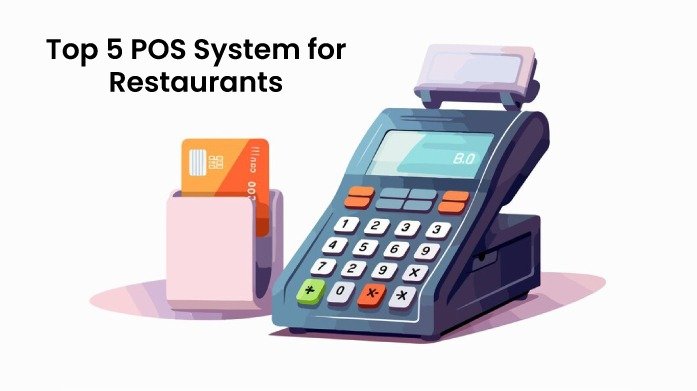
Top 5 POS System for Restaurants

Top 5 POS System for Restaurants Top 5 POS System for Restaurants: What is Restaurant POS Software? A Restaurant POS software, therefore, refers to a computerized tool employed in dining facilities to facilitate sale of products, tracking of stocks, employees’ roster and customers’ relations. Many different types of POS available now are significantly differ from the old-fashioned cash registers and provide a lot of connections according to the needs of restaurants, cafes, bars, and different kinds of food services. Why Use a POS System for Restaurants? A POS system is essential for restaurants because it streamlines operations, from taking orders to managing inventory and processing payments. It helps improve accuracy, reduces wait times, and provides valuable insights through detailed reports. By automating tasks and centralizing data, a POS system allows restaurant owners to focus on delivering great customer service while efficiently managing the business. POS System for Restaurants It is therefore important that you select the right POS system for your restaurant so that it runs efficiently. Here are five top POS systems tailored to meet the specific needs of the restaurant industry: 1. Toast POS Toast has a set of features fit for restaurants with functionalities such as online ordering and kitchen display. Key Features Online ordering Digital kitchen display screen Inventory management, Comprehensive reports. Pros: Simple to navigate and user-friendly It is also compatible with many other applications. Cons: It can therefore be expensive to set up than some forms of marketing,especially in the initial stages. Pricing: Pay-as-you-go plan starts at $0/month. Essentials package starts at $69/month (includes order & pay features). Growth package is priced at $165/month. Enterprise package offers custom pricing based on specific business needs. 2. Square POS Square also offers an adaptive POS system used by both small and big restaurants. Key Features Table management Flexibility of menu functions, reporting, and payments. Pros: Easy on the pocket Easy to set up Good integration. Cons: They also don’t have some of the more advanced tools found in managing bigger operations. Pricing: Free Plan: $0/month (basic features). Plus Plan: $29/month per location (advanced features). Premium Plan: Custom pricing based on business needs 3. Lightspeed POS Lightspeed is a cloud-based POS software and solutions for restaurants to help run their business and meet customers’ needs. Key Features Managing multiple locations Detailed analysis, inventory, and employee management. Pros Flexibility of the tool High backing Numerous options of use. Cons One disadvantage is that setup can be complex or difficult for a new user Pricing: Basic plan: $89/month (billed annually). Standard plan: $149/month. Advanced plan: $269/month. 4. TouchBistro TouchBistro targets at increasing productivity in the functioning of restaurants. Key Features Grouping orders Menu changes Employee roster Sales records. Pros User-friendly Tailored to restaurants’ needs Solid customer service. Cons Less integration possibilities as compared to other systems. Pricing: Single license plan starts at $69/month. Advanced features for multi-location or franchise operations cost up to $299/month. 5. eHopper POS eHopper is an all-in-one POS solution designed for small businesses, including restaurants, offering an affordable and flexible platform with essential features for smooth operations. It supports both full-service and quick-service restaurants. Key Features Order management Payment processing Customer management Inventory tracking Employee management The system also includes multi-language support Works across multiple devices, including tablets and mobile. Pros Affordable pricing Easy to use, and cloud-based Offers a free version with basic features, making it accessible for small restaurants Also supports multiple payment methods Integrates with third-party apps. Cons Limited advanced features compared to more premium POS systems. The free version comes with fewer capabilities, and customization options are somewhat restricted. Pricing: Essential Plan: Free, includes basic POS features. Freedom Plan: $29.99/month. OmniChannel Plan: Custom pricing for eCommerce integration and advanced functionalities. These Top 5 POS systems for restaurants have different benefits which should be carefully analyzed in order to understand what your restaurant will require and what you are ready to pay for. Most Recent Posts All Post CRM E-Commerce LMS POS 4 Best POS Systems for small Business POS system security and compliance What is a Learning Management System (LMS) ? | Features, Types & Benefits Category CRM E-Commerce LMS POS

Top 5 POS System for Restaurants Read More »

Best Point of Sale (POS) Software Comparison for 2024: Features, Pros, and Cons

Best Point Of Sale (POS) Software Comparison 2024

Best POS Software Comparison Best Point of Sale (POS) Software Comparison for 2024: Features, Pros, and Cons Choosing the right Point of Sale (POS) system is crucial for any business, but with so many options, how do you find the best one? Do you need something simple and straightforward, or a system with more advanced features? In this blog, we’ll explore the Top Point of Sale Software Comparison 2024 to help you find the best POS system for your needs. Ready to see which POS could be the perfect fit for your business? Let’s find out! What is Point of Sale (POS) Software ? A Point of Sale (POS) system is essential for handling sales and managing various aspects of your business. While its main job is to process transactions, today’s POS systems offer a lot more. What to Look for in a POS Software When selecting a POS system, it’s important to focus on the core functionalities that will best support your business operations. In this POS Software Comparison, we’ll guide you on what to look for to ensure you choose a system  that meets your needs! Inventory management Keeps track of stock levels as sales occur and notifies you when inventory is getting low. Reporting and Analytics Many modern POS systems offer tools to keep an eye on your top customers, sales, and product performance through built-in reporting and analysis. They provide sales summaries, track patterns, and give you a clearer view of how well your sales and inventory are doing. Employee management Manages employee roles and permissions, and records sales activities for each staff member. Customer management Keeps customer information, logs their buying history, and supports loyalty programs or customer rewards . Flexible payment method options Make sure the system can process cash transactions smoothly, including calculating change. Purchase Orders Handles and follows up on orders needed to restock inventory. Omnichannel Selling A POS system with omnichannel capabilities can increase sales and strengthen customer loyalty, allowing customers to interact with your brand whenever and wherever they choose. Barcode Scanning: Facilitates fast and precise item entry through the use of barcode scanners. Mobile Apps With mobile compatibility, a POS system enables retail businesses to process sales and oversee operations from any location, rather than being restricted to a fixed counter. Improved Customer Service: POS systems improve customer service by enabling staff to quickly access customer details and purchase history. Improved Security POS systems help prevent theft and fraud by securing customer data with encryption and keeping track of every transaction. Stock transfers between stores A POS system that links all your stores lets you easily keep track of inventory everywhere. Create backorders The backorder feature in a POS system lets customers place orders for items that are not currently in stock. When the items arrive in-store, staff can use the POS system to inform customers that their orders are ready for pickup. Tax Calculation Automatically determines taxes based on the location and type of product, ensuring that all regulations are met. Customization and Scalability Offers the ability to adjust to particular business requirements Comparison of the best POS Softwares In 2024, there are numerous POS systems on the market, each with its own set of features and advantages. The sheer volume of choices can make it challenging to select the best one for your business. By comparing the leading POS systems, you can find one that fits your needs now and grows with your business. This way, you’ll choose a POS system that improves your operations and helps achieve your business goals. 1.Odoo POS Odoo POS is an adaptable point-of-sale system that simplifies tasks for retail and restaurant businesses. It connects easily with other Odoo tools, offering features to help manage operations and improve service. Pros Unified System: Integrates with Odoo’s Inventory, Accounting, Sales, and CRM modules, providing a single platform for all business functions. This helps keep data consistent and reduces duplication. Real-Time Data: Updates in one module are instantly reflected across the system, offering up-to-date information for better decision-making. Easy to Use: The straightforward design and simple interface make it easy for staff to learn and use, reducing training time and mistakes. Customizable: Can be adjusted to meet the needs of various businesses, including retail stores, restaurants, and service providers. Modular Design: Businesses can add or remove features as needed, making it adaptable to different business models and sizes. Custom Development: Allows for additional custom features or integrations if needed. Detailed Reports: Provides reports on sales, inventory, and customer activity to help with decision-making. Real-Time Data: Offers live data updates, so businesses can keep track of key metrics and respond to changes quickly. Flexible Payments: Accepts multiple payment methods like cash, credit/debit cards, and mobile payments to suit different customer preferences. Offline Operation: Works without an internet connection, with transactions syncing when the connection is restored. Scalable: Grows with the business, supporting multiple locations and handling higher transaction volumes as needed. Cons Complex Setup: Installing and configuring Odoo POS can be difficult, especially for those unfamiliar with ERP systems. Customizing it to fit your business needs may require technical expertise. Licensing Costs: While Odoo offers a free version, the paid enterprise version and additional custom features or integrations can be costly. Ongoing Expenses: Regular costs for maintenance, updates, and support might also add up over time. Compatibility: Integrating Odoo POS with other software or third-party tools can be challenging and may require custom solutions. Potential Bugs: The system may encounter occasional bugs, particularly after updates or custom modifications. Support Quality: Official support tends to be more reliable for enterprise users, while community support quality can vary, and response times may not always be prompt. Documentation: The extensive documentation may be hard to navigate, especially for more advanced features. Limited Support: Some hardware, like receipt printers or payment terminals, might require additional setup or third-party solutions to work properly with Odoo POS. Resource Demands: Odoo POS can be heavy on system resources, potentially causing performance issues

Best Point Of Sale (POS) Software Comparison 2024 Read More »

Scroll to Top